
PHP (recursive acronym for PHP: Hypertext Preprocessor) is a widely-used open source general-purpose scripting language that is especially suited for web development and can be embedded into HTML.
In this howto we'll go over the installation process of PHP 7.4 on CentOS 8 and RHEL 8
Requirements:
1- Minimal Install of CentOS 8 / RHEL 8
2- sudo or root privileges
Step 1: Enable EPEL and Remi Repository
The default installation of CentOS 8 and RHEL 8 includes PHP 7.2 and 7.3, but to install PHP 7.4 at the time of writting this article it is required to configure EPEL and REMI repositories, to do that we should run the following commands:
[root@owned-networks-php74centos8 ~]# sudo dnf install epel-release -y
[root@owned-networks-php74centos8 ~]# sudo dnf install https://rpms.remirepo.net/enterprise/remi-release-8.rpm -y
Once we have completed this process we'll go ahead and run the following dnf command to see the available PHP versions:
[root@owned-networks-php74centos8 ~]# sudo dnf module list php
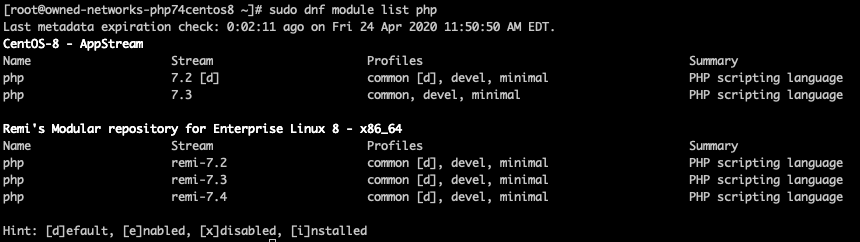
Here we can see that the default PHP version is 7.2 under CentOS-8 Appstream, we can also see that 7.4 shows under the Remi's Repository, so we'll go head and enable it so that when we install php 7.4 with the dnf command it will actually pull it from the remi modular repo.
Step 2: Enable latest PHP Module Stream (remi-7.4):
[root@owned-networks-php74centos8 ~]# sudo dnf module enable php:remi-7.4
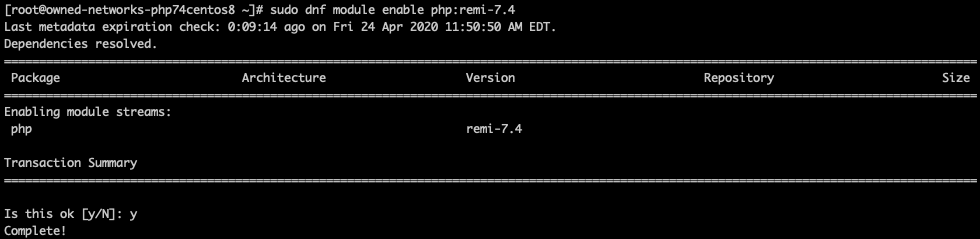
we confirm with "y" and move onto step 3.
Step 3: Install and Verify PHP
[root@owned-networks-php74centos8 ~]# sudo dnf install php php-cli php-common -y
Result:
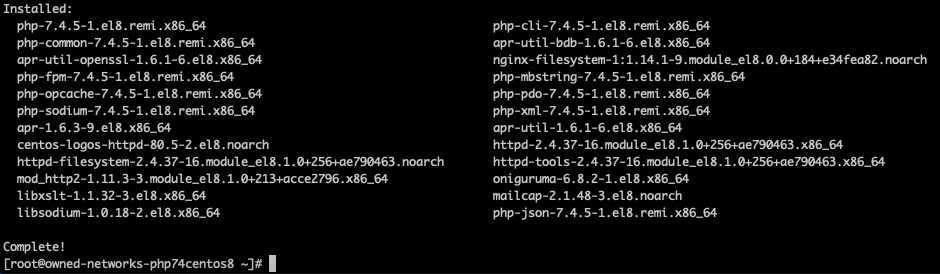
Now we can check on the version of PHP we just installed by running php -v:
[root@owned-networks-php74centos8 ~]# php -v
PHP 7.4.5 (cli) (built: Apr 14 2020 12:54:33) ( NTS )
Copyright (c) The PHP Group
Zend Engine v3.4.0, Copyright (c) Zend Technologies
with Zend OPcache v7.4.5, Copyright (c), by Zend Technologies
That's it, we have PHP 7.4 now installed on this server.